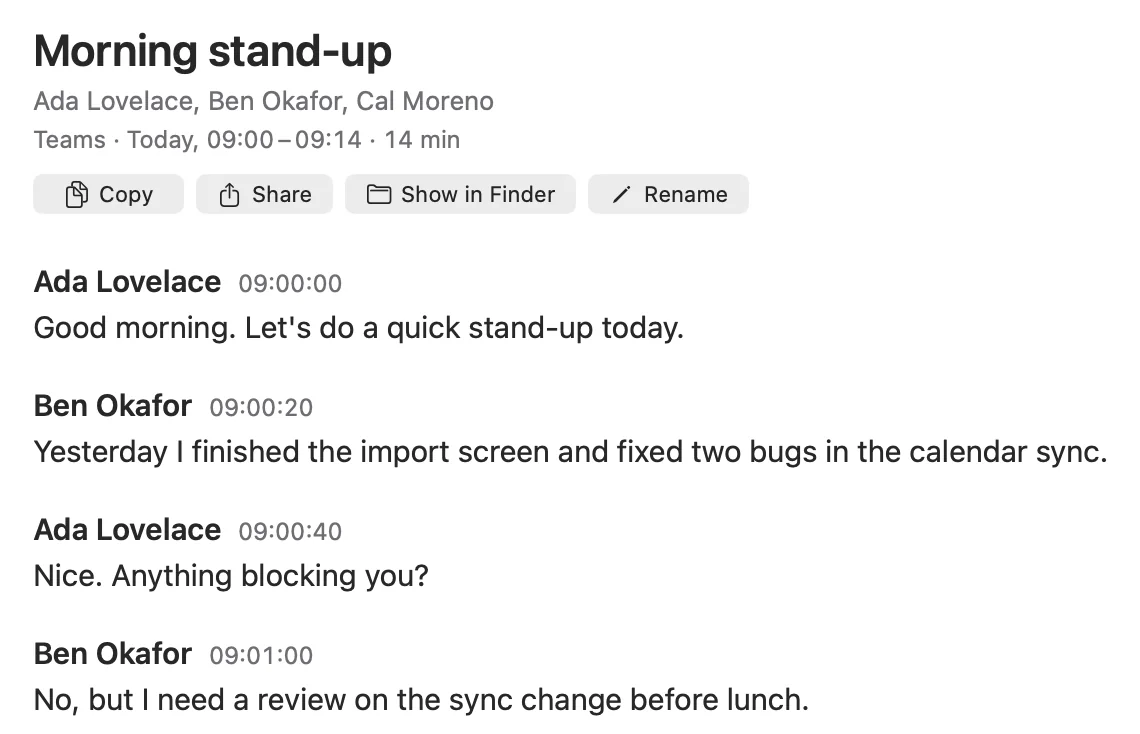
The speaker's name on every line.
 CaptionSnapDownload
Every line shows who said it and when. A lightweight native Mac app that lives in your menu bar.
Free for 14 days, then $9.99 once. macOS 26 or later, Apple Silicon.
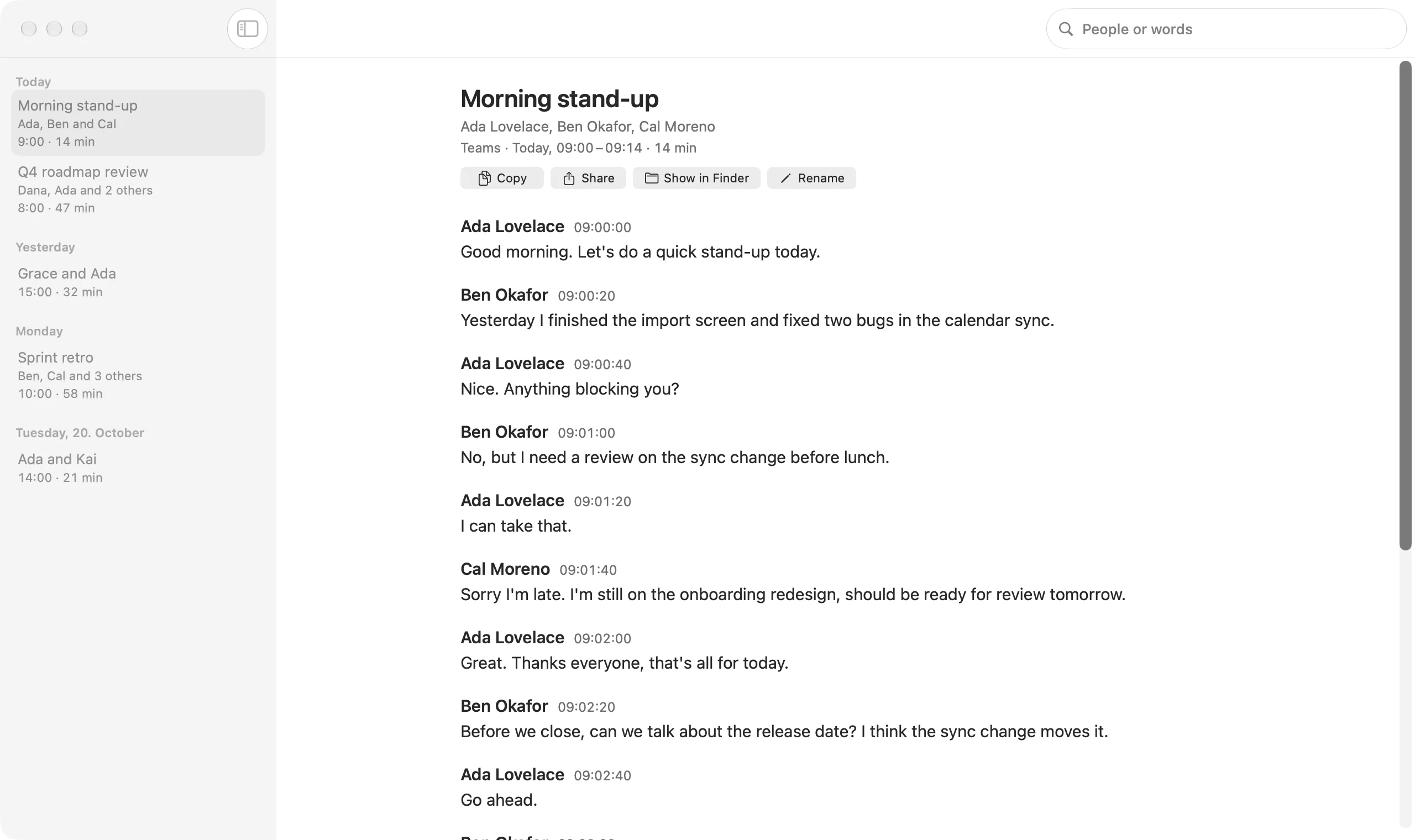
For anyone in a lot of Teams, Zoom or Google Meet calls who needs to know later what was said, and by whom.
Turn on captions in Teams, Zoom or Google Meet.
CaptionSnap saves each line with the speaker's name and time, in the meeting app or in Chrome, Edge, Arc and Brave.
When the call ends, the transcript is saved on your Mac.
Captions off? CaptionSnap tells you, so you can turn them on.
Search by person, meeting name or word.


Each meeting is named from what was discussed, like “Q4 roadmap review”, and shows who was there. Naming needs Apple Intelligence.


Open, share or paste them into any app or AI tool.
**[09:04:00] Ada Lovelace:** Fine with me. Let's say Friday for the release and tell support on Wednesday.Most meeting note apps send a bot into the call or use your Mac's audio, and send the audio off to be transcribed. CaptionSnap saves the captions your meeting app already shows, so your call's audio is never recorded or sent anywhere. Those apps also write AI summaries; CaptionSnap keeps the exact words, which you can paste into any AI tool for a summary.
| App | How it gets the words | Uses call audio | Transcripts kept | Price |
|---|---|---|---|---|
| Otter | A bot joins the call, or its desktop app records audio | Yes | Cloud | Free: 300 min a month, 30 min per meeting. Pro $16.99/month ($8.33 billed yearly) |
| Fathom | A bot joins the call; bot-free recording on Mac is in beta | Yes | Cloud | Free; Premium $20/month ($16 billed yearly) |
| Fireflies | A bot joins the call; its Chrome extension works without the bot in Google Meet | Yes | Cloud | Free: 400 min of storage. Pro $18/seat/month ($10 billed yearly) |
| Granola | Sends your Mac's audio to be transcribed | Yes | Cloud | Free with 30 days of history; Business $14/user/month |
| Notion AI Meeting Notes | Sends your Mac's audio and microphone to be transcribed | Yes | Cloud | Business plan, €19.50/member/month |
| CaptionSnap | Saves the captions Teams, Zoom or Google Meet already show | No | Your Mac | $9.99 once |
From each app's website, October 2026.
$9.99, once.
Free for 14 days, no card needed.
Use it on up to 3 Macs. 30-day refund.